How to Audit Your Electricity Bill in Texas
A Texas electricity bill can jump because you used more power, your plan price changed, delivery charges increased, or a billing detail is wrong. This guide shows what to check before you switch plans or dispute a charge.
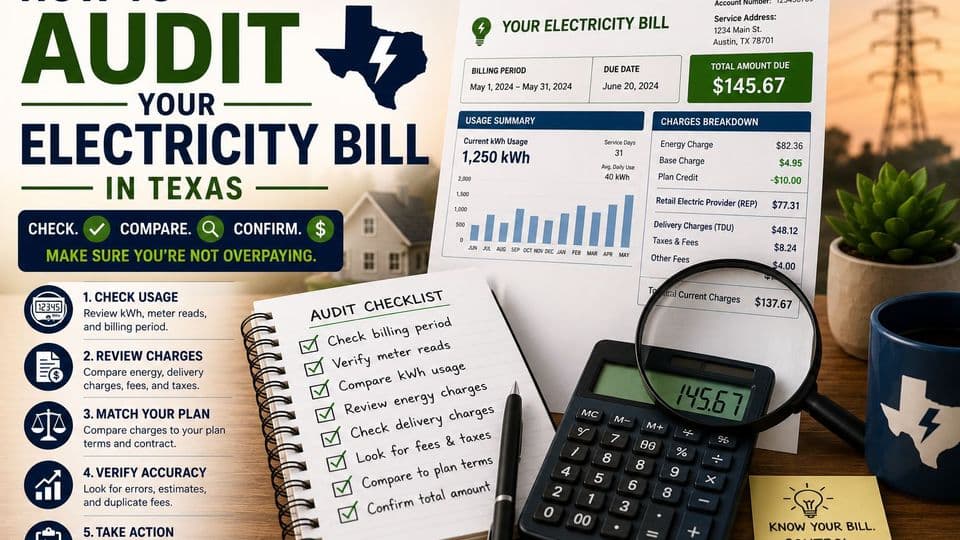
Key Takeaways
- 1Start a bill audit by comparing kWh, not just the dollar amount, because a higher bill can come from usage, price, fees, or billing-period changes.
- 2Texas shoppers should compare REP energy charges, TDU delivery charges, base charges, bill credits, and contract dates against the Electricity Facts Label and plan documents.
- 3A simple average cost per kWh can flag a bill worth investigating, but it does not explain every line item.
- 4If usage rose, check major loads such as HVAC, appliances, building efficiency, and possible multifamily metering issues before assuming the bill is wrong.
- 5Keep a monthly record of bills, usage, plan documents, and provider responses so disputes and plan comparisons are easier.
A Texas electricity bill can jump because you used more power, your plan price changed, delivery charges increased, or a billing detail is wrong. This guide shows what to check before you switch plans or dispute a charge.
Start With the Bill, Not the Total Due
Begin by looking past the amount due and focus on the usage and pricing details that created it. Compare billed kWh first because a higher total can result from increased consumption, a price shift, a different billing cycle length, or added fees even when usage stayed flat.
Gather your current bill, one or two prior bills, the Electricity Facts Label for your plan, the contract summary, any renewal notice, and usage history from your provider or Smart Meter Texas. This set of documents lets you verify actual consumption before you review charges.
Check the Billing Period, Meter Number, and Read Type
Confirm the service address and meter number match your home or unit. Next, compare the service dates on the current bill to the previous one to spot gaps, overlaps, short cycles, or long cycles that alter the total.
Check whether the bill shows an actual meter read or an estimate. An estimated read can make usage appear unusually high or low, especially after a move or when the meter is difficult to access. In apartments and condos, verify whether the unit is individually metered or billed through an allocation method.
Compare This Month's kWh to Your Own History
Look at the same home across prior months and the same season rather than comparing to a previous address. Twelve months of history reveal basic patterns, while twenty-four to thirty-six months give a clearer view of seasonal swings.
Texas summer cooling loads can push usage higher even when daily habits feel unchanged. A smaller apartment may use more electricity than a larger one if insulation, windows, sun exposure, or HVAC equipment perform worse. Flag any single month as an outlier instead of assuming it proves an error on the bill.
Calculate a Quick Average Price per kWh
Divide the total bill by billed kWh to get a rough average cost per kWh. This screening number helps show whether price or usage drove the change, but it does not match the advertised energy rate on the plan.
Compare the average across recent months and against the usage examples on the Electricity Facts Label. The figure shifts when base charges, bill credits, TDU delivery charges, taxes, or usage tiers appear, so treat it as a flag for closer review rather than a final diagnosis.
Match REP Charges to Your Plan Documents
REP charges cover the portion of the bill from your retail electricity provider. Compare the energy charge, base charge, bill credit rules, minimum usage fees, time-of-use terms, and contract end date against the Electricity Facts Label, Terms of Service, and contract summary.
A fixed-rate plan can lock the energy charge, but it usually does not freeze regulated delivery charges. Check whether a promotional credit disappears once usage reaches a set threshold.
Separate TDU Delivery Charges From Energy Charges
Texas bills often separate REP energy charges from TDU delivery charges. Identify any fixed monthly delivery charge and per-kWh delivery charge on the bill.
These regulated TDU charges tie to the utility delivery area and can change separately from the REP energy rate. Two plans with similar energy rates can produce different bills once actual usage and delivery fees enter the picture, which is why comparing all-in estimated prices at your real usage level matters.
Look for Duplicate Fees, Odd Add-Ons, and Tax Issues
Scan for duplicate charges, overlapping bill periods, extra service add-ons, late fees, returned payment fees, or recurring products you did not select. Compare taxes and government charges to prior months to catch sudden jumps that do not match usage or rate changes.
If an add-on such as a protection plan appears, ask the REP for documentation or cancel it. Keep written records of the conversation to support any dispute.
Test Whether the Usage Makes Sense at the Meter
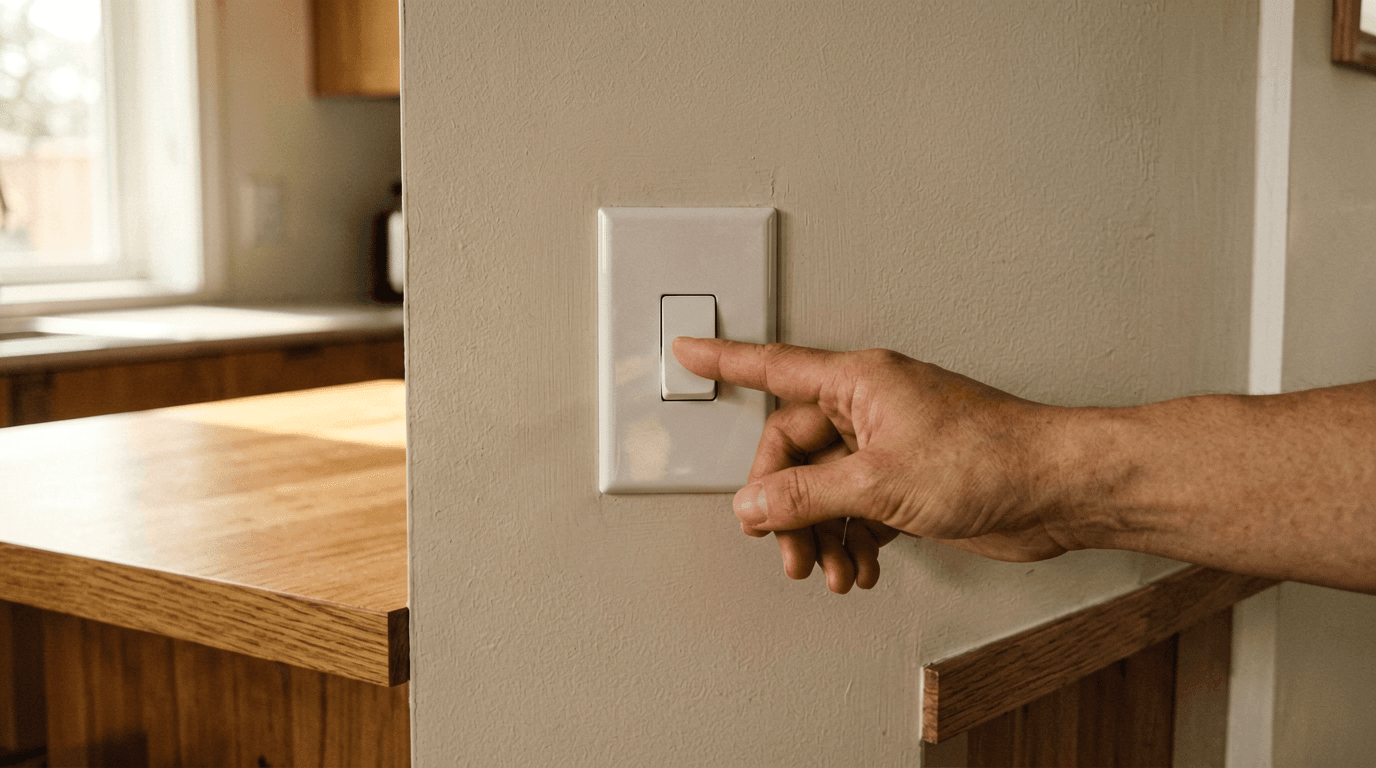
Compare billed kWh against meter data when available. A simple check is to turn off or unplug known loads and watch whether the meter continues recording usage.
Smart meters, cycling equipment, refrigerators, HVAC systems, and water heaters can make short tests inconclusive. Contact the utility or provider if the meter still shows activity after all known loads are off. Do not remove meter covers or open sealed equipment unless you are qualified to do so.
Find the Loads That Are Driving the Bill
High usage usually comes from major loads rather than many small devices. In Texas homes, air conditioning often drives summer bills, so check thermostat settings, HVAC runtime, air filter condition, duct issues, leaky windows, sun exposure, and older appliances.
Plug-in monitors help measure refrigerators, entertainment systems, chargers, dehumidifiers, window units, and other outlet-based loads. They usually cannot measure central HVAC or other hardwired systems.
Apartment, Condo, and Rental Checks
Confirm whether your unit has an individual meter or whether electricity is allocated by the property. Miswiring or a neighbor-connected circuit remains uncommon but possible in older multifamily buildings.
Compare the meter number on the bill to the meter assigned to the unit when accessible. Document management, REP, and utility conversations in writing before escalating.
Decide Whether to Dispute, Fix Usage, or Switch Plans
If usage appears wrong or unexplained, gather meter data and contact the REP or utility. If usage looks correct but price seems high, compare plans using your actual kWh pattern.
When usage jumped, address load issues before switching plans so the next comparison uses realistic consumption. Review renewal pricing and any early termination fee when a contract changed or expired.
Keep a Monthly Bill Audit Log
Track bill date, kWh, total bill, average cost per kWh, plan name, contract end date, delivery charges, credits, and any notes that need follow-up. Save copies of bills, Electricity Facts Labels, renewal notices, and provider communications.
One month can begin the audit, but multiple months reveal patterns and support better plan comparisons. Set a reminder before the contract end date to avoid surprise renewal pricing.
Electricity Bill Audit FAQs
Sources & References
Editorial standards
SlashPlan publishes independent guidance to help Texans compare electricity plans. Our editorial team reviews each article without advertiser influence. See our editorial guidelines and monetization disclosure.
About the author
Roi CahanaEnergy advisor helping Texans better understand their electricity options and make more confident decisions. Focused on simplifying electricity plans, explaining confusing terms, and sharing practical guidance to help readers avoid common mistakes when comparing rates, contracts, and renewals.
Ready to compare plans?
Enter your ZIP code to see electricity plans available at your address.