How to Read Your Electricity Meter
A practical guide to recording the right electricity meter number, handling digital and dial displays, and calculating kWh from two readings.
Key Takeaways
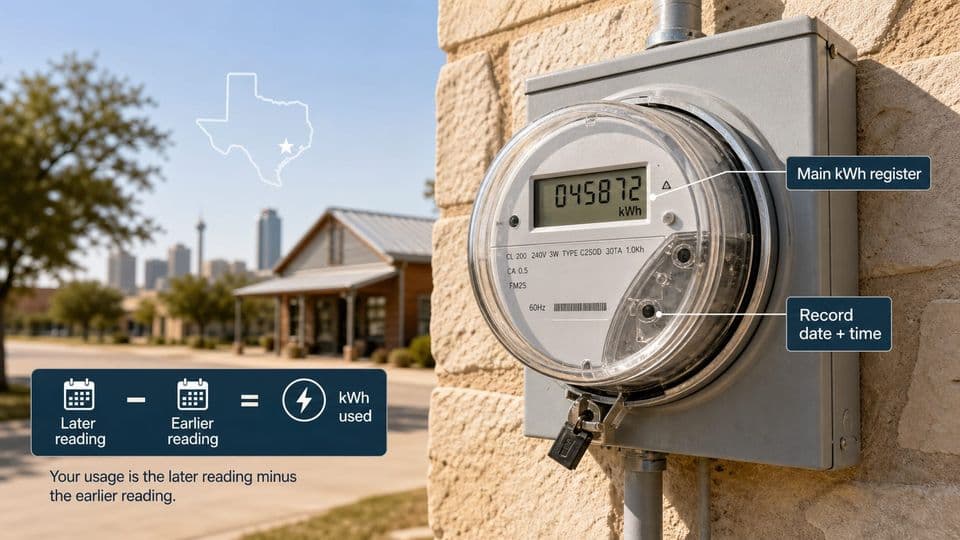
- 1An electric meter reading is a running total. To find usage for a period, subtract the previous reading from the current reading.
- 2Digital meters are usually read by copying the main display numbers from left to right and skipping decimals or extra values unless instructed otherwise.
- 3Smart meters may send readings automatically, but the visible register can still be checked manually.
- 4Dial meters need extra care because hands can sit between numbers and neighboring dials may rotate in opposite directions.
What your electric meter is measuring
Your electric meter tracks the total amount of electricity used at your home or business. It works like a car odometer, but instead of miles, it records kilowatt-hours, commonly written as kWh.
A kilowatt-hour is the standard unit for measuring electricity use. One kWh equals 1,000 watt-hours. If you run a 1,000-watt appliance for one hour, that uses about 1 kWh. A 100-watt light bulb running for 10 hours also uses 1 kWh.
The number you see on the meter is a running total of all the electricity used since the meter was installed or last reset. That single number by itself does not tell you how much power you used in a day or a billing period. To find that, you need two readings taken at different times.
How kWh differs from the meter's running total
The meter reading is not your monthly usage. It is a cumulative count. Think of it like the total miles on a car. If you want to know how far you drove on a trip, you subtract the starting odometer reading from the ending one. The same logic applies to your electric meter. The reading itself is just a number. The usage comes from comparing two readings.
Before you start, confirm the meter is yours
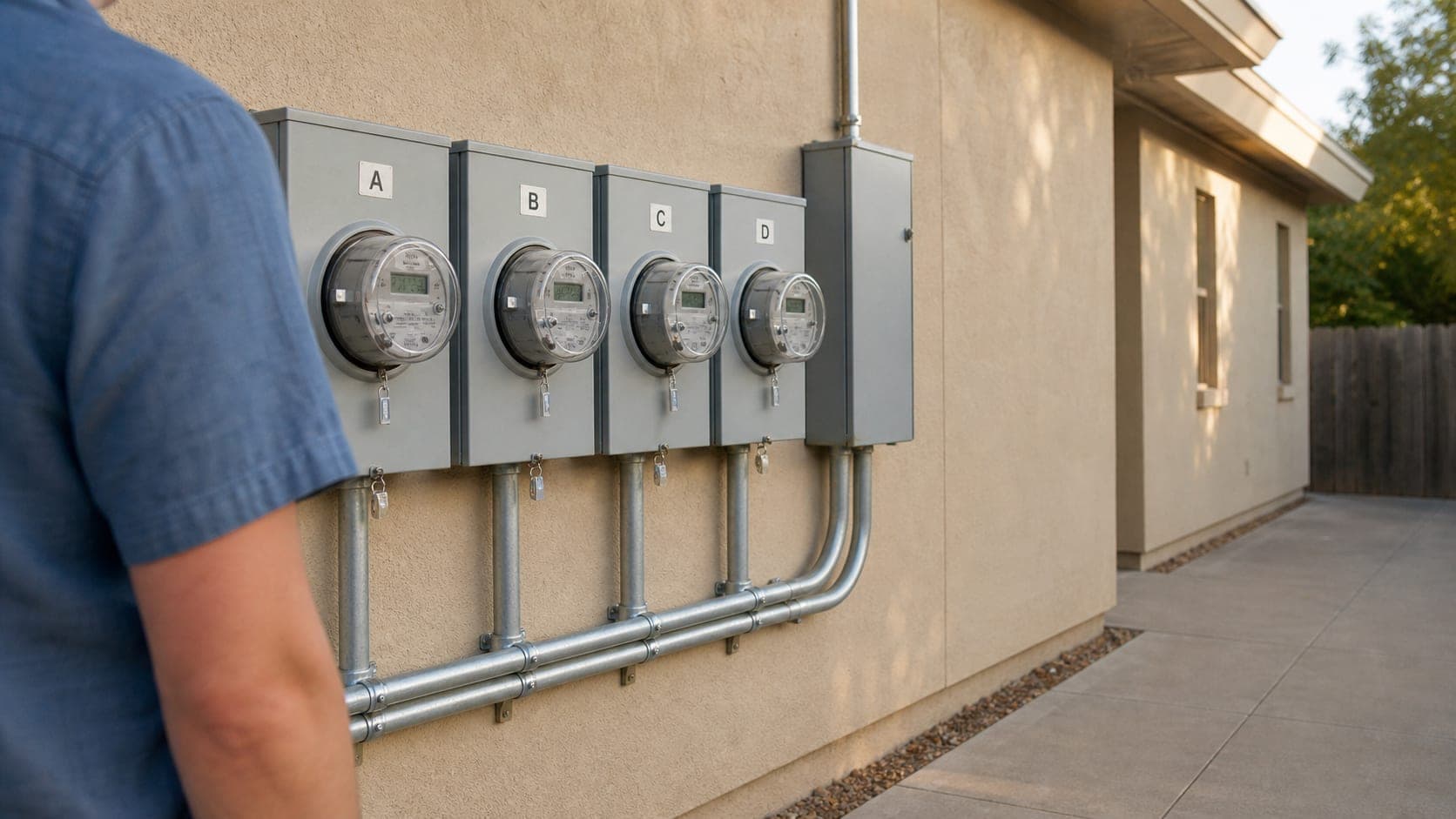
Before you write anything down, make sure you are looking at the right meter. This step sounds simple, but it is easy to get wrong, especially in apartment buildings, duplexes, or neighborhoods where meters are grouped together.
Look for the electric meter that is physically connected to your service panel or located near your unit. If several meters are mounted on a single panel, check for labels, unit numbers, or apartment letters. Some meters have a tag or sticker that matches your address or unit number.
If you rent or live in a multi-unit building and the meters are not clearly marked, ask property management which meter belongs to your unit. Guessing can lead to recording someone else's usage, which does not help anyone.
Read only what is visible from the outside without opening sealed equipment or using tools. If the meter is locked inside a cabinet or the display is not accessible, stop and contact the responsible utility or property manager. Do not force access to equipment that is sealed or locked.
Digital displays: copy the main register
Digital meters are the most common type you will find today. They show a clear row of numbers on an electronic screen, which makes them easier to read than older dial meters.
For a basic digital display, read the main numbers from left to right. Copy the full number shown on the primary screen. That is your electric meter reading.
Write down the date and time along with the reading. If you plan to compare this reading with another one later, having the date attached makes the calculation accurate.
Numbers to copy and numbers to skip
Not everything on the display is part of the reading you need. Here is what to look for:
- Copy the main black or white digits on the screen.
- Ignore red digits, numbers after a decimal point, or fractional values unless the meter instructions specifically say they are part of the required register.
- Skip extra screens that show test codes, date stamps, or other diagnostic information.
If the meter has a button that cycles through different screens, wait until the main kWh register appears. That is the number you want. When in doubt, check the meter face or any label near the display for guidance. Different models can show information in slightly different ways.
Smart meters can still be checked manually
Smart meters are digital meters that can send readings automatically to the utility. Even if your meter sends readings on its own, you can still check the visible display to track your usage.
Some smart meters cycle through multiple screens. You may need to wait a few seconds for the display to show the primary kWh register. Other models have a button you can press to move through the screens. If a button is present, use it only when the meter instructions support that action.
The number you see on a smart meter works the same way as any other digital meter. It is a running total. You can record it manually and compare it with a previous reading to calculate your usage for a specific period.
If the display is blank or shows an error code, do not assume the meter is broken. Some smart meters enter a low-power mode or cycle through diagnostic screens. Wait for the main register to appear. If the display stays blank or shows something you do not recognize, follow the meter-specific instructions or contact the responsible utility.
Dial meters need a slower read
Dial meters are older but still in use. Instead of a single row of numbers, they have several circular dials arranged in a row. Each dial has a pointer that moves like a clock hand.
Reading a dial meter takes more care than reading a digital display. The dials can be confusing because adjacent dials may turn in opposite directions. One dial might spin clockwise while the next one spins counterclockwise. This design is intentional, but it means you cannot assume all dials move the same way.
Check the meter face or any printed instructions near the meter for the reading order. Some dial meters are read from left to right, while others may follow a different sequence. Follow what is printed on the meter itself rather than guessing a universal rule.
Read each dial one at a time. Look at where the pointer sits and record the number it points to or the lower number if it sits between two digits.
Dial hands between numbers need the lower digit
The most common mistake with dial meters happens when a pointer sits between two numbers. When that happens, always record the lower number.
For example, if the pointer is between 3 and 4, record 3. If it is between 7 and 8, record 7. This rule applies to every dial on the meter.

Exact-number and 9-to-0 cases
Two special situations come up with dial meters that trip up even careful readers.
When the hand is between 9 and 0. Record 9. In this case, 0 represents the completed turn, so 9 is treated as the lower number. This is the one time you record 9 even though the pointer is between 9 and what looks like 0.
When the hand points exactly at a number. Do not automatically record that number. Check the neighboring dial to the right to confirm whether the turn is complete. If the neighboring dial has not passed 0, the turn is not finished, and you should record the lower number instead. If the neighboring dial has passed 0, the turn is complete, and you can record the exact number.
These edge cases are why dial meters require a slower, more deliberate read. Rushing through them is the fastest way to get a wrong reading.
Two-rate meters require both registers
Some meters track usage in separate registers. These are called two-rate meters, and they are common in homes that have different electricity rates for different times of day.
A two-rate meter may show two rows of numbers on the display. One row might be labeled "normal" or "day," and the other might be labeled "low" or "night." Other two-rate meters cycle through the registers on a single screen, showing one value at a time.
Record both required registers. Do not stop after writing down the first number you see. If you only record one register, you are missing half of the usage data.
Check the meter face or any labels near the display to identify which registers are needed. Some meters label the registers clearly. Others may require you to wait for the display to cycle through each value. If a button moves the display between registers, use it only when the meter instructions support that action.
Single-screen meters may cycle through values
A single display can cycle through more than one value, even on meters that are not labeled as two-rate. The screen might show the main kWh register, then a test screen, then a date stamp, then back to the register.
Wait for each required register to appear before writing anything down. If you write the first number you see without waiting for the full cycle, you might record a test value or a partial reading instead of the actual usage register.
Once all required registers have appeared and you have recorded them, note the date and time. This is especially important if the meter cycles through values at set intervals. Knowing when you took the reading helps you match it to the correct billing period later.
Use two readings to calculate kWh
Once you have a current reading and a previous reading, you can calculate how much electricity you used in between.
Subtract the previous reading from the current reading. The result is the number of kWh used during that period.
For example, if your current reading is 45,678 and your previous reading was 45,200, the difference is 478 kWh. That is the amount of electricity used between the two reading dates.
Make sure both readings come from the same register. Do not subtract a day register from a night register or mix readings from different meter types. If you have a two-rate meter, calculate each register separately.
Pair each reading with its date. Usage periods can vary in length. A 30-day period will naturally show more usage than a 28-day period, even if your daily habits stayed the same.
If the previous reading came from a record marked as estimated, treat the comparison with caution. Estimated readings are not actual measurements. They are the utility's best guess based on past usage. An estimated reading can be off by a noticeable amount. When possible, wait until you have two actual readings before drawing conclusions about your usage.
When the meter or reading seems off
Sometimes the number on the meter does not look right, or the display behaves in a way you do not expect. Before assuming something is wrong, recheck the meter type and confirm you are reading the correct register.
If the display is blank, damaged, locked away, or unsafe to access, stop. Do not try to open sealed equipment or reach into confined spaces. Contact the responsible utility or property manager for help.
If the meter model is not covered by common examples, follow the documentation for that specific model rather than forcing a generic rule. Many meters have a label or sticker with the model number. You can look up the instructions for that model online or contact the utility for guidance.
Here is a quick checklist to run through after you finish:
- You identified the correct meter for your location.
- You recorded the main register from the display or dials.
- You noted the date and time with the reading.
- If you have a previous reading, you compared it using the same register.
- If the meter had multiple registers, you recorded each one.
- If the reading seemed unusual, you rechecked the meter type and register before assuming an error.
Electricity Meter Reading FAQs
Editorial standards
SlashPlan publishes independent guidance to help Texans compare electricity plans. Our editorial team reviews each article without advertiser influence. See our editorial guidelines and monetization disclosure.
About the author
Roi CahanaEnergy advisor helping Texans better understand their electricity options and make more confident decisions. Focused on simplifying electricity plans, explaining confusing terms, and sharing practical guidance to help readers avoid common mistakes when comparing rates, contracts, and renewals.
Ready to compare plans?
Enter your ZIP code to see electricity plans available at your address.